
Floating bar
The floating bar is a Letterly control that stays on top of every window. Click it to start dictating without opening the app.
On the Free plan: 20 dictations, each up to 3 minutes.
Learn more about plans →The floating bar is optional. Turn it off in Settings → Dictation → Floating bar and start dictation with your shortcut instead.
Controls while you dictate
| Control | What it does |
|---|---|
| X | Discards the current dictation |
| Timer | Shows how much time you have left |
| Stop (red button) | Ends the recording and processes your text |
| Pinned rewrite options | Applies a rewrite option to your dictation. Each option has a keyboard shortcut |
| Rewrite options menu | Opens the full list of rewrite options |
Hide or show the floating bar
- Go to Settings → Dictation → Floating bar.
- Turn the Always show toggle on to keep the bar visible, or off to hide it.
The floating bar is a Letterly control that stays on top of every window. Click it to start dictating at any time, even when Letterly is not in focus.
On the Free plan: 20 dictations, each up to 3 minutes.
Learn more about plans →The floating bar is optional. Turn it off in Settings → Dictation → Floating bar and start dictation with your shortcut instead.
Controls while you dictate
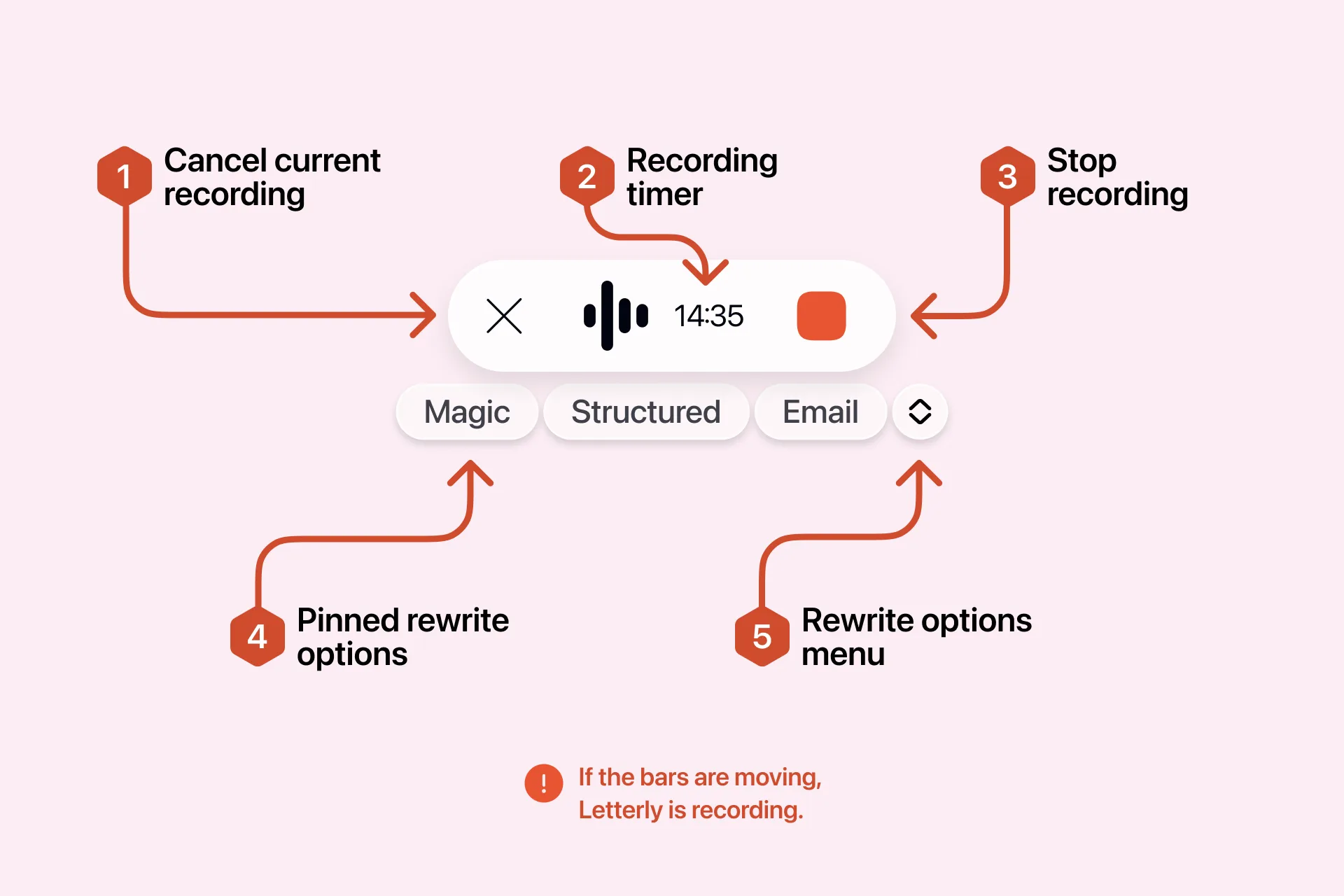
| Control | What it does |
|---|---|
| X | Discards the current dictation |
| Timer | Shows how much time you have left |
| Stop (red button) | Ends the recording and processes your text |
| Pinned rewrite options | Applies a rewrite option to your dictation |
| Rewrite options menu | Opens the full list of rewrite options |
Hide or show the floating bar
- Go to Settings → Dictation → Floating bar.
- Turn the Always show toggle on to keep the bar visible, or off to hide it.
Your Dictation shortcut works either way.
Change the position of the floating bar
- Go to Settings → Dictation → Floating bar → Position.
- Choose Top or Bottom.
To place the bar anywhere on the screen, choose Custom from the floating bar itself, then drag the bar where you want it.
The right-click menu
Right-click the bar to reach: Paste last transcript · History · Microphone · Bar position · Always show the floating bar · Open Letterly · Settings · Quit Letterly.
The Microphone setting is only in this menu — there is no microphone picker in the Dictation settings.